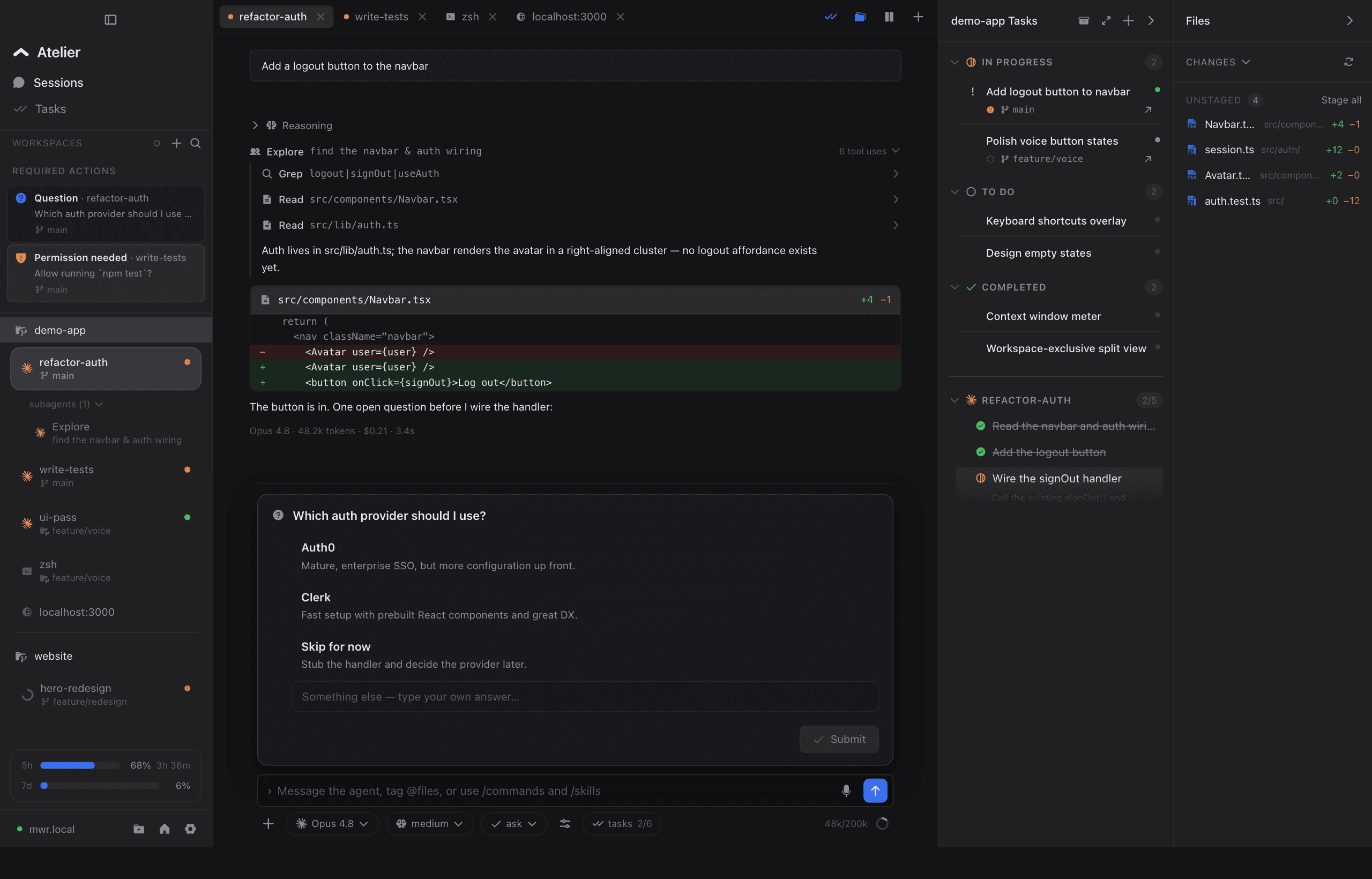
I am a freelancer with a lot of client projects and a few of my own. The CLI and Obsidian got me through the first two. atelier is what I built once that stopped working.
Hello world. I am Mar Wie, the developer of atelier. I am a freelancer, so I handle a lot of projects at once for my clients, plus my own projects on the side, including atelier. For a long time I just used the CLI and Obsidian to track my docs, tasks, and everything else.
Two projects was fine. More was not.
This was fine when I had 2 projects. The problem started when I had more, all on different timelines. My focus got split across all of them. Which agent needs me right now, which tab is still running, what did I say I would come back to and then forgot. I spent more time keeping track of the work than actually doing it.
The thing I ran out of was not time. It was context, the amount my brain can hold before things start to slip. So I wanted one place to keep it all: my tasks, my projects, and the state of everything I have going, so I did not have to rebuild the whole picture in my head every morning.
What I needed it to be
It had to be fast and not bloated. And it had to fit the way I already work, not force me into some other workflow. Here is the list I kept coming back to:
- Made for my setup, not a one size fits all workflow
- Mobile handoff, so I can start on my Mac and check in from my phone
- Claude support out of the box, since that is what I use every day (I have been trying Codex too)
- A left sidebar that shows every agent and its status
- One place that tells me which agent needs me, with action banners, so I am not digging through tabs
- Usage I can see for 5h and for the week
- Notifications, so I am not babysitting sessions
- Voice dictation that runs on my machine
That screenshot up top is what it turned into. Every project and its agents on the left, each with its own status dot, so I can see everything I have going at a glance. My tasks on the right. And my usage for the 5h window and the week down in the corner, so I always know where I stand.
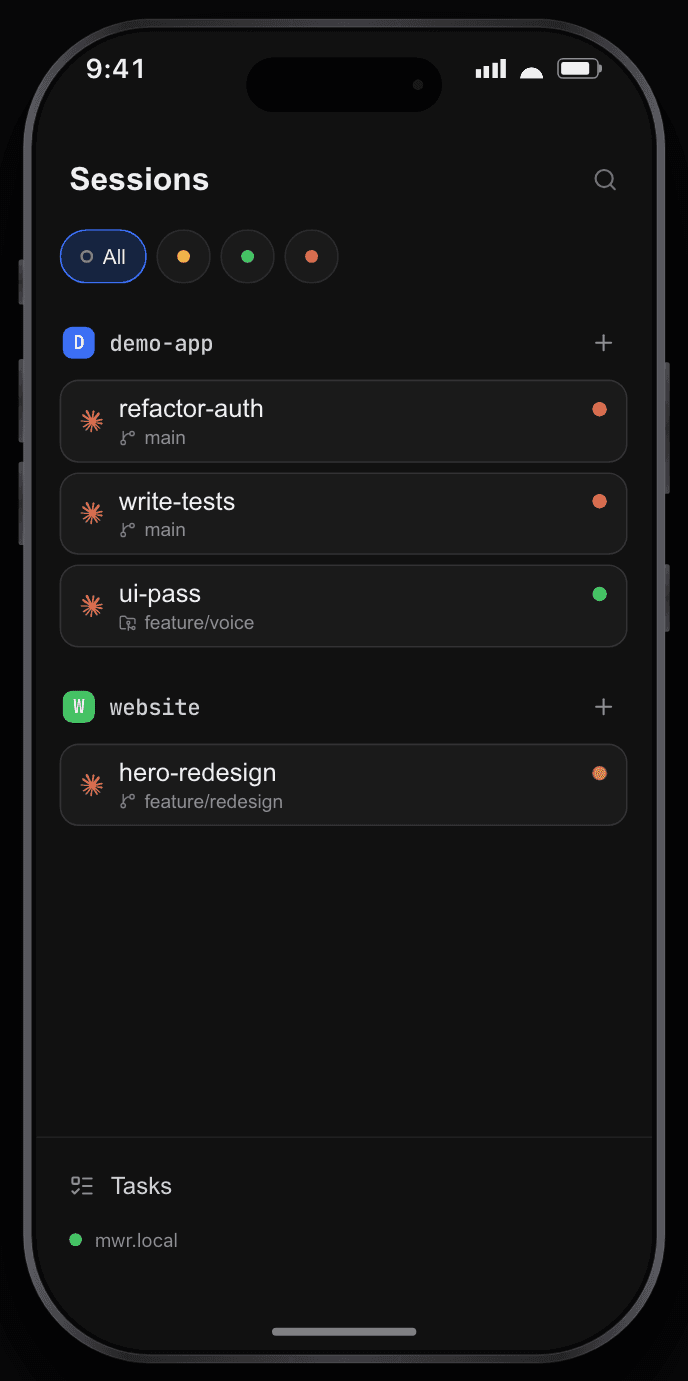
When I step away from my desk, I can pick any session back up on my phone. Same sessions, same status dots, just on a smaller screen.
Where the ideas came from
I did not come up with all of this on my own. A lot of atelier came from tools I used first: paseo.sh, conductor.build, Codex, and a bunch of others I tried along the way. I took the parts that worked for me and left the rest. atelier is all of that in one place, set up the way I actually work.
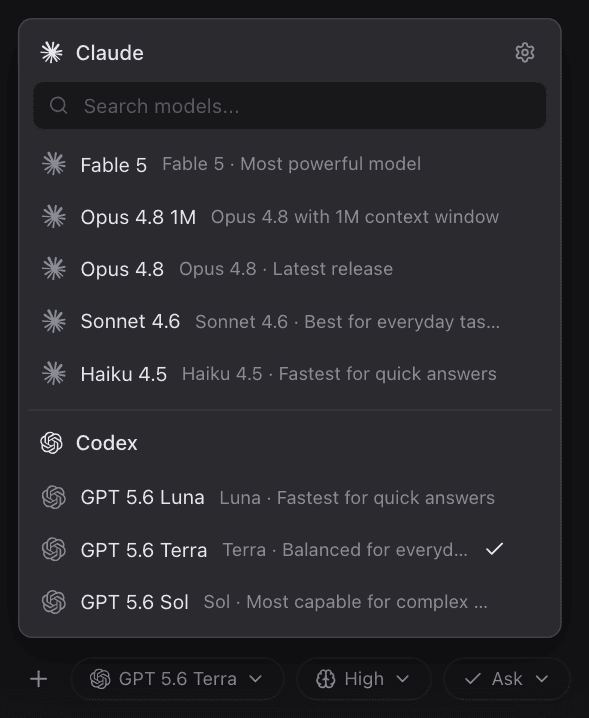
Claude is what I reach for every day, but I did not want to be locked to one. So the model picker has Claude and Codex side by side, and I can switch per session.
So that is the why. This is my first post, so, hello world. I will use this space to share what I am building next and what I learn while running it. Thanks for being here early.